
Debugging Hardware Across Two Cities Without Shipping or Travel
When building the Shield product, we faced a problem familiar to hardware teams everywhere: engineers split across two locations needed to collaborate on the same hardware.
One board lived on a test bench in Location A. Our lead software engineer worked from Location B, 200 miles away.
The Old Way: Phone Tag and Guesswork
The first time we hit a critical bug, the debugging process looked like this:
- Software engineer suspects a power sequencing issue
- Calls hardware engineer in other location
- “Can you power cycle the board?”
- “Can you press the reset button?”
- “What do the LEDs show?”
- “Can you check the serial output?”
- Hardware engineer reads logs over the phone
- Software engineer makes a change, pushes firmware
- Repeat from step 2
A debugging session that should take 15 minutes stretched into two hours. Both engineers were blocked, context-switching between their own work and the phone calls.
The Breaking Point
It was frustrating. The constant waiting for remote eyes and hands to do something, losing focus while waiting, and just simply waiting for someone to get out of a meeting or to a place where they can be interrupted.
The breaking point came during a rush for a customer demo. Our software engineer needed to iterate on a firmware update, but the hardware engineer wasn’t available. The board sat idle on the bench while our engineer sat idle at his desk.
Shipping boards back and forth didn’t make it faster:
- 2-3 day shipping delays each way
- Risk of damage in transit
- $50-100 per shipment
- Only one engineer could work at a time And even if we had a second board at location 2, we couldn’t rule out inconsistencies between hardware
Building MIMICK: Remote Eyes and Hands
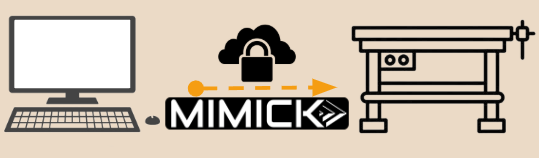
We built MIMICK to solve our own problem: giving a software engineer full remote access to hardware without requiring another person on-site.
We iterated as we developed, adding a few new features to MIMICK every week.
What We Connected
- Power control: Remotely cycle power, measure current draw
- Serial console: Direct access to UART output
- USB hub: Flash firmware over USB-DFU without touching the board
- Network: Test connectivity and capture packets
The Command Line Interface
Our software engineer could now run:
mimick power off --wait 2 && mimick power on
mimick serial read --lines 50
mimick usb flash firmware-v2.3.bin
mimick network test --target shield-001
These simple commands replaced a dozen phone calls.
The First Win
The next time a bug appeared, our software engineer handled it independently:
- Noticed anomalous current draw in power metrics
- Powered down the board remotely
- Flashed a diagnostic firmware build
- Powered up and captured serial logs
- Identified the issue (race condition in initialization)
- Fixed and deployed corrected firmware
- Verified the fix
Total time: 18 minutes. Phone calls: zero. Colleague interruptions: zero.
Beyond Debugging: Automation
Once we had command-line control, the next step was obvious: automate the repetitive steps.
Our software engineer wrote a simple bash script:
#!/bin/bash
# Test firmware update flow

mimick power off
mimick usb flash $FIRMWARE_PATH
mimick power on --wait 5
mimick serial expect "Boot successful" --timeout 10
mimick network test --target $DEVICE_IP
Now firmware testing became a single command. What used to take two people and multiple phone calls ran unattended while our engineer grabbed coffee.
The Real Impact
After three months using MIMICK on the Shield project:
- Development velocity increased a lot in the final month before customer delivery
- Zero boards shipped between locations for debugging
- We could add more software engineers at any time
- Both engineers worked independently instead of blocking each other
- Asynchronous work became practical without requiring two people
The breakthrough wasn’t just remote access—it was independence. Our software engineer stopped being bottlenecked by geography, schedules, and coordination overhead.
What We Learned
Building MIMICK taught us that remote hardware access isn’t about replicating an in-person experience. It’s about:
- Command-line first: GUIs are nice, but automation requires scriptable interfaces
- Observe everything: Power consumption told us as much as logs
- Make it reliable: Remote access that’s flaky is worse than useless
The tool we built for ourselves became the foundation for what MIMICK is today: full-featured remote hardware control that eliminates the bottleneck of physical access.
Your Turn
If your team is split across locations, or your hardware engineers spend time being “remote hands” for software developers, you’re facing the same bottleneck we solved.
MIMICK gives your engineers remote access to hardware test benches with:
- Power control and measurement
- Serial and JTAG interfaces
- USB device programming
- Network testing and packet capture
- Complete command-line automation
Stop coordinating phone calls. Start shipping features.
Learn more about MIMICK or contact us to discuss your distributed hardware development challenges.